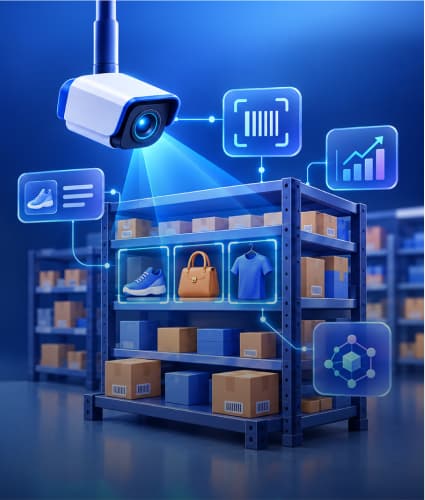


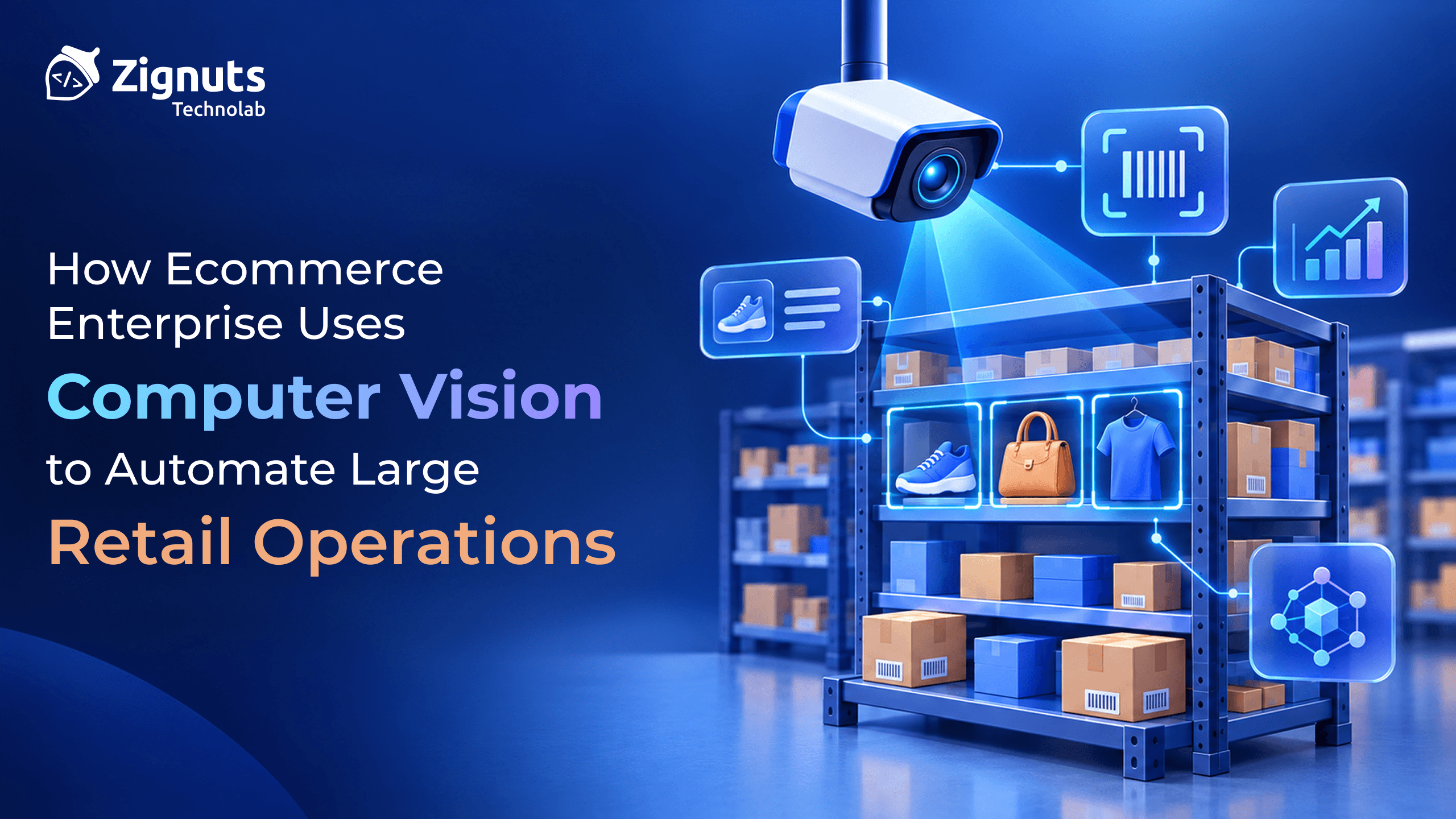
Ecommerce enterprises use computer vision to turn images and video, such as product photos, warehouse cameras, shelf images and returned parcels, into structured data and automatic decisions. At retail scale, it replaces visual checks that people cannot keep up with: tagging millions of listings, inspecting parcels, auditing shelves, and grading returns.
The technology pays off where visual work is repetitive, high in volume, and costly to do by hand or inconsistently. It pays off less where the task needs perfect judgment or touches sensitive data. Amazon, for example, removed its Just Walk Out checkout system from U.S. Amazon Fresh stores in 2024, and the FTC banned Rite Aid from using facial recognition for surveillance for five years after it found the system produced thousands of false matches. Both are useful reminders that the engineering and governance around the model matter as much as the model.
This guide explains what computer vision does in retail, where it fits across the value chain, the use cases that work in catalog, warehouses, stores, and returns, the risks to plan for, and how to roll it out.
Computer vision converts images and video into data. Its best returns come from repetitive visual tasks at high volume.
Four areas lead: catalog and discovery, warehouses and fulfillment, stores and shelves, and returns and quality control.
Start narrow. Pick one measurable use case, keep people reviewing uncertain cases, and avoid biometric identification of shoppers.
Models are only part of it. Data, cameras, edge deployment, privacy, and daily operations decide whether a system works at scale.
What Computer Vision Does in Retail
Computer vision is a set of techniques that let software interpret images and video. Retail systems combine a handful of building blocks.
Capability | What it does | Retail example |
|---|---|---|
Image classification | Assigns a label to a whole image | Sorting returned items by category, or checking a listing photo is acceptable |
Object detection | Finds and locates objects in an image | Counting products on a shelf or spotting a pallet at a dock door |
Segmentation | Outlines the exact shape of objects | Measuring package size, or cutting products out for clean catalog images |
Text recognition (OCR) | Reads text in images | Reading labels, price tags, shipping labels, and expiry dates |
Visual similarity | Finds items that look alike | Visual search and "shop the look" |
Tracking and video analytics | Follows objects across video frames | Parcel flow on conveyors, queue length and forklift safety |
Defect and anomaly detection | Flags items that look wrong | Damaged goods and packaging defects |
Vision-language models | Describe images and extract attributes in plain language | Generating product attributes and descriptions from photos |
Tasks differ in where they run. Time-critical checks, such as conveyor inspection, usually run on edge devices next to the camera. Catalog enrichment can run in batches in the cloud. Our object detection, image recognition, and video analytics services cover these building blocks.
Where Computer Vision Fits Across the Retail Value Chain
Computer vision can automate a visual check at each stage between listing a product and processing its return. Some stages are digital, such as catalog and discovery, and others are physical, such as fulfillment, stores, and returns. That changes the cameras, response times, and risks involved.
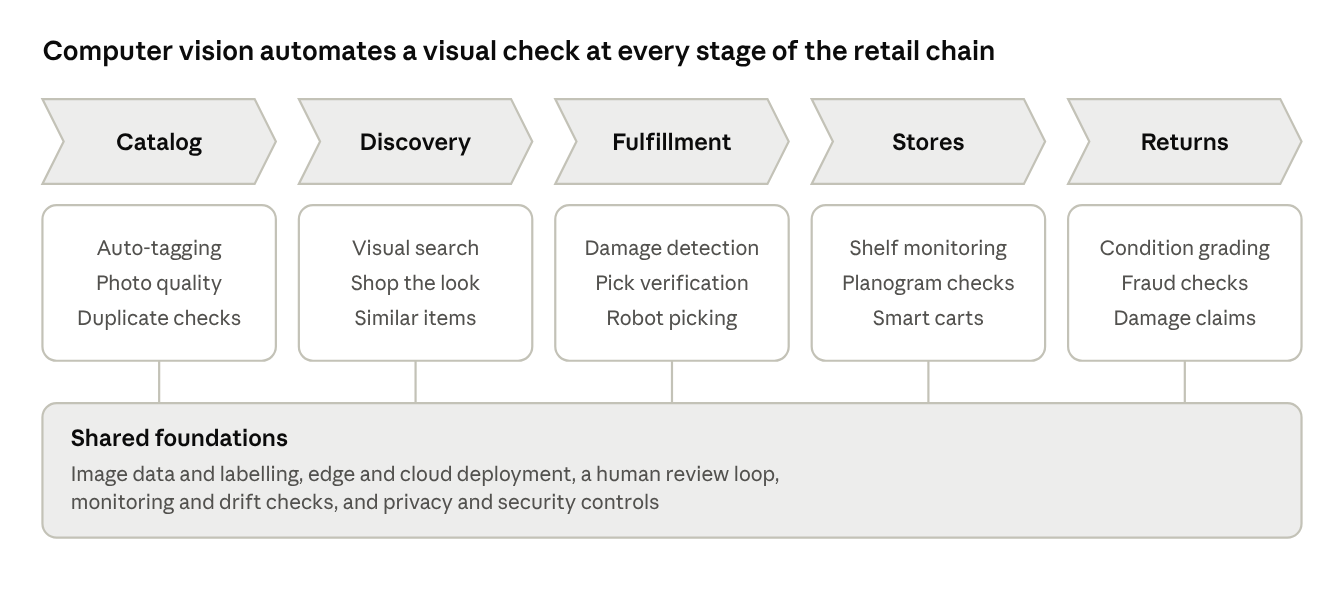
Computer vision across the retail value chain · 5 stages, shared foundations
Each stage has its own use cases, and all five depend on the same foundations: image data and labelling, edge and cloud deployment, human review, monitoring and privacy controls. The sections below take each stage in turn.
Ready to Transform Your Retail Operations with Computer Vision?

Catalog and Discovery: Cleaner Listings, Better Search
For an ecommerce enterprise with millions of listings, the catalog is the first operation worth automating. Product data is often incomplete, inconsistent, and slow to produce, and much of it can be read from the photos.
Use case | What it automates | Measure it by |
|---|---|---|
Attribute extraction | Reading color, pattern, material, and style from product images and drafting tags and descriptions | Attribute completeness and time to publish a listing |
Image quality checks | Flagging blurry photos, cluttered backgrounds, watermarks, and missing angles before listings go live | Share of listings passing review the first time |
Duplicate and near-duplicate detection | Finding repeated or lightly altered listings across sellers | Duplicate rate in search results |
Trust and safety | Flagging prohibited items and suspected counterfeit or misused brand imagery | Review queue size and false-flag rate |
Visual search | Letting shoppers search with a photo or find similar items | Search-to-purchase conversion |
Vision-language models now handle many of these tasks without custom training, but test them on your own catalog and keep people reviewing low-confidence results.
Visual search and "shop the look"
Shoppers already search with their cameras. Google reported nearly 20 billion Lens searches a month, about 20% of them shopping-related, and Amazon reported a 70% rise in visual searches on its own site over a year. On your own store, visual search turns each product image into an embedding, a numeric fingerprint, that is stored in a vector index and matched against the shopper's photo. See our vector database guide for the retrieval side, our visual search app guide for mobile, and our guide to AI recommendation engines for ecommerce for the personalization that sits next to it.
Warehouses and Fulfillment: Fewer Errors at Higher Speed
Fulfillment is where the cost of a visual mistake is easiest to measure: a wrong item, a damaged parcel, or a mislabelled carton becomes a return, a refund, and an unhappy customer. Cameras already sit above most conveyors and pack stations, so vision can check every item rather than a sample.
Use case | What vision does | Why it matters |
|---|---|---|
Receiving and inbound checks | Reads labels and compares what arrived with what was ordered; spots crushed or open cartons | Catches supplier problems at the dock |
Pick and pack verification | Confirms the right item is in the right bin or box | Cuts wrong-item shipments |
Damage detection | Flags items that look damaged before they ship | Reduces damaged-on-arrival returns |
Parcel dimensioning and label reading | Measures package size and reads shipping labels | Speeds sortation and carrier billing |
Vision-guided picking | Lets robot arms recognize and grasp varied products | Automates the repetitive parts of picking |
Safety and flow monitoring | Detects forklift and pedestrian conflicts and congestion | Reduces incidents and bottlenecks |
Amazon offers a useful reference. It has described adding damage detection to the imaging stations in its picking and packing process, and says the system is three times more effective than manual checks. Its Sparrow robot uses computer vision and AI to detect, select, and handle individual products. Amazon also notes a problem every retailer faces: damaged items are rare, so training data for them is scarce. The practical answer is to flag suspicious items for a person to check, and to feed those decisions back into training.
For how we build these systems, see our work on computer vision for warehouse automation.
Ready to Transform Your Retail Operations with Computer Vision?
Stores, Shelves and Checkout: Where Online and Physical Meet
Ecommerce enterprises with stores, or that fulfill online orders from store stock, need accurate shelf data. An item that shows as available online but is missing from the shelf becomes a cancelled order.
Use case | What vision does | Watch out for |
|---|---|---|
Shelf monitoring | Detects out-of-stock and low-stock items, misplaced products and price-tag mismatches | Crowded aisles, lighting and changing packaging |
Planogram compliance | Compares real shelves with the intended layout | Layouts that change often |
Smart carts and checkout-free stores | Identifies items taken from shelves or placed in carts | Accuracy, cost, and customer experience at scale |
Loss prevention | Spots scan avoidance at self-checkout and unattended items by recognizing objects and actions | Using identity-based tools such as facial recognition |
Queue and footfall analytics | Counts people and measures waiting time without identifying anyone | Notice, signage and local privacy rules |
Shelf intelligence
Shelf monitoring is one of the more established retail uses. Simbe, a vendor, says its Tally robots and fixed cameras detect up to ten times more out-of-stock items than manual audits. Treat vendor figures as claims to test in a pilot on your own stores.
Checkout-free retail needs realism
Amazon's experience shows how hard full automation can be. It removed Just Walk Out from U.S. Amazon Fresh stores in 2024 and moved to Dash Carts, which use computer vision and sensor fusion to identify items placed in the cart, while keeping Just Walk Out in Amazon Go stores and other venues. Amazon says its associates mainly annotate video to improve the model and validate a small minority of visits where the system is not fully confident. The lesson is not that the technology fails. It is that accuracy, cost, and customer experience must hold up in every store format, and a scoped rollout is safer than a chain-wide bet.
Returns and Quality Control: Faster Decisions on Every Item
Returns are costly to process, and most of the work is visual: what came back, what condition is it in, and what should happen to it. These are common applications rather than single-vendor claims, so the table describes what each does and how to judge it.
Use case | What vision does | Measure it by |
|---|---|---|
Condition grading | Classifies a returned item from photos at intake as resell, refurbish, liquidate, or discard | Grading agreement with experienced graders, and days from receipt to relisting |
Return fraud checks | Compares the item received with the item sold, using images, labels, and serial numbers | Confirmed fraud caught, and false accusations |
Damage claims | Verifies customer-submitted photos of damaged-on-arrival orders | Time to refund and claim leakage |
Supplier and private-label inspection | Checks products and packaging against quality standards at intake | Defect rate caught before shipping |
Size and fit tools | Uses images to suggest sizes or show items on the shopper | Fit-related return rate, with privacy review |
Grading and fraud checks work best as decision support. The system proposes a disposition, and a person approves it when confidence is low, or the item is high value. A wrong fraud accusation harms a real customer, so set a high bar before any automated action.
Our returns management software work shows how these checks connect to refunds, restocking, and reverse logistics.
Ready to Transform Your Retail Operations with Computer Vision?
Risks, Privacy and What Goes Wrong in Production
Many computer vision problems in retail are not model problems. They come from poor testing, unclear rules about people and data, and systems that never connect to a workflow.
The clearest warning is the FTC's case against Rite Aid. The agency said the company used facial recognition in hundreds of stores between 2012 and 2020, produced thousands of false-positive matches, failed to assess the system's accuracy before or after deployment, and did not tell customers. It said the false positives were more likely in stores in predominantly Black and Asian communities. Rite Aid said it fundamentally disagreed with the allegations, but the case shows what regulators now expect: testing, notice, and safeguards.
Risk | What goes wrong | How to reduce it |
|---|---|---|
Biometric and privacy exposure | Systems identify or track individual shoppers | Use object and action analytics, not identity. Count people anonymously, give notice, limit retention, and check GDPR and local biometric laws |
Bias and false positives | Errors fall unevenly, and wrong alerts harm real people | Test accuracy across conditions and groups, and require human review before any action against a person |
Rare events and drift | Damage is uncommon; packaging and products change | Use active learning, keep retraining, and monitor accuracy by site |
Real-world conditions | Lighting, camera angles, and crowded aisles lower accuracy | Pilot in real stores and warehouses and standardize camera placement |
Edge operations | Devices fail, go offline, or run old models | Plan device management, monitoring, and safe updates |
Security | Camera feeds and models become attack surfaces | Segment networks, control access, and log changes |
Trusting vendor claims | Demo accuracy does not hold on your data | Run a pilot on your own images with agreed metrics |
No workflow link | Insights are produced, but nobody acts on them | Feed results into your WMS, order and store systems and assign owners |
Human review is a design choice, not a failure. Amazon's own systems use people to validate uncertain cases and annotate data, and the strongest deployments make that loop fast.
How to Deploy Computer Vision and Measure the Return
A sound approach is to start small, measure against a baseline, and build the operational loop around the model.
Pick one use case. Choose a high-volume visual task with a named owner and a single metric, such as attribute completeness, damaged-on-arrival rate, or out-of-stock rate.
Audit your data and cameras. Check what images exist, whether they are labelled, and whether camera coverage and lighting are good enough. Our data annotation and training services help close labelling gaps.
Decide build or buy. Standard tasks such as OCR or general object detection can use ready-made APIs or vendor platforms. Custom models make sense where your catalog or environment is unusual. Our guide to custom AI vs off-the-shelf AI explains the trade-offs, and for vendors, ask about security certifications such as SOC 2.
Pilot in real conditions against a baseline. Compare accuracy, speed, and cost per item with your current manual process, on your own images.
Design the human loop. Route low-confidence cases to people and feed their decisions back into training.
Integrate and operate. Connect outputs to your warehouse, order, and store systems, and plan device management, monitoring, and retraining.
Scale site by site. Recheck accuracy at each new warehouse or store, because conditions differ.
Judge success on business measures: fewer wrong-item and damaged shipments, higher listing completeness, fewer out-of-stocks, faster returns processing and lower cost per item handled. Our AI readiness assessment can show whether your data, systems, and governance are ready for a pilot.
Conclusion: Automate the Visual Work, Keep Judgment Where It Matters
Computer vision lets large retailers do something people cannot: look at every listing, every parcel, and every shelf. The strongest results come from narrow, measurable use cases, honest pilots on your own data, a fast loop with human reviewers, and a firm line against intrusive uses such as facial recognition for surveillance.
Zignuts helps enterprises design and build computer vision and AI systems as an OpenAI, Anthropic (Claude), and AWS partner. Explore our object detection services and video analytics services, check where you stand with the AI readiness assessment, or request a project estimate.

Sudhir Dadhania
Mobile Tech Evangelist | A creator at heart, dedicated to building seamless and innovative iOS applications that elevate user experiences.