

Quick answer: What is PHP2Shell and what should you do?
On 21 October 2026, the PHP team released fixes for two serious issues in PHP itself: CVE-2026-109618 and CVE-2026-109619. The security community calls them “PHP2Shell”. The good news is simple: the fix is already out, and for most projects it is a normal PHP version update.
If you run Laravel, WordPress, CodeIgniter, Symfony, or plain PHP, you are not doing anything wrong in your code. The problem is inside PHP, so the fix is also on the PHP side. This post explains what it is, who is affected, and what to do today, step by step.
The one-line answer: update PHP to 8.5.12, 8.4.27, 8.3.36, or 8.2.35 (based on the version you run), restart PHP-FPM, and confirm the new version is live.
What is PHP2Shell? CVE-2026-109618 and CVE-2026-109619 in simple words
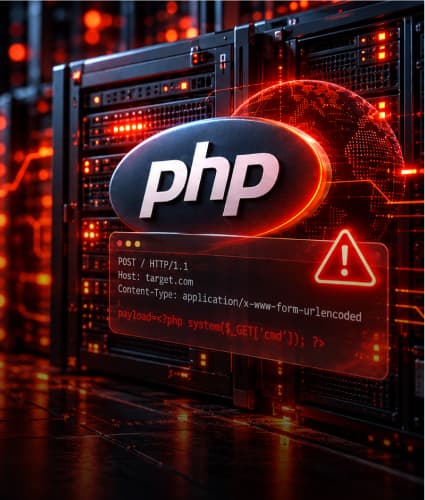
Both issues let someone send a specially made request to your server and run their own code on it, without logging in. PHP rated both 9.2 out of 10.
The important part: the problem happens while PHP is reading the incoming request, before your Laravel route, controller, or middleware even runs. That is why your app code cannot block it.
CVE | Official name | What it means in plain words |
CVE-2026-109618 | Remote code execution via out-of-memory corruption | When a request makes PHP hit its memory limit at the wrong moment, PHP can be left in a broken state that an attacker can use. |
CVE-2026-109619 | Remote code execution via stale global state | PHP can keep some “leftover” data from a failed request and reuse it later. One confirmed path uses PHP’s session upload progress feature, which is on by default. |
A simple example
Think of a hotel reception desk. A guest fills a form so badly that the receptionist gets confused and leaves the drawer open. The next person at the desk finds the drawer open and takes the keys. The hotel rules (your app code) were fine. The mistake happened at the desk (PHP) before any rule was checked.
In the same way, a normal form submission or file upload (a multipart/form-data POST request) is the kind of request involved here. Almost every website accepts these, which is why the fix matters for everyone.
Does PHP2Shell affect Laravel, WordPress and other PHP projects?
The framework does not matter here. If the server runs an unpatched PHP version, the site is exposed, whatever framework sits on top.
We use Laravel’s database or Redis sessions, not PHP sessions. Are we safe?
Not by that alone. The upload progress feature is part of PHP’s own session module and works at request start, before Laravel loads. And CVE-2026-109618 has nothing to do with sessions at all.
Will composer update fix PHP2Shell?
No. Composer updates your packages, not PHP. You need to update the PHP binary on the server or in the Docker image.
Our app has no file upload feature. Are we safe?
No. An attacker can send an upload-style request to any PHP URL, even a login page. PHP reads it before your route decides anything.
We are on WordPress. What should we do?
Same answer. Update PHP on the server or ask your host to do it. Updating WordPress core or plugins does not change the PHP version.
Let Zignuts Handle Your PHP2Shell Update

Who needs to update PHP in each hosting setup?
Setup | Who updates PHP | Example |
Own VPS / EC2 (Ubuntu, Debian) | You | apt upgrade of php8.x packages |
Laravel Forge or similar panel | You, using the panel or SSH | Update PHP packages on the server, then restart PHP-FPM |
Docker / Kubernetes | You | Rebuild the image on a patched PHP base image and redeploy |
Managed platform (Vapor, Coolify, Heroku, Sevalla, etc.) | Usually the provider; sometimes you redeploy | Coolify shipped PHP 8.4.27 in its own security release |
Shared hosting / cPanel | Your host | Check the PHP version in cPanel; open a ticket if it is old |
Which PHP versions are affected, and which version fixes PHP2Shell?
You are on | Update to (or newer) | Notes |
PHP 8.5.x | 8.5.12 | Also turn off fatal_error_backtraces if you cannot update today |
PHP 8.4.x | 8.4.27 | |
PHP 8.3.x | 8.3.36 | |
PHP 8.2.x | 8.2.35 | PHP 8.2 support ends on 31 December 2026, so plan a move to 8.3 or 8.4 |
PHP 8.1 or older | No official fix | Use your Linux vendor’s backport if offered; otherwise plan an upgrade. Apply the temporary settings below meanwhile |
For Laravel teams: Laravel 10 runs on PHP 8.1 to 8.3; Laravel 11 and 12 need 8.2 or newer. Always check the PHP constraint in your own composer.json before jumping branches.
How to fix PHP2Shell: steps to take today
The PHP team is clear that updating is the only full fix. Settings changes only reduce risk.
List every server and image that runs PHP. Production, staging, cron or queue servers, old demo servers, and Docker images.
Check the version the web server actually uses. The CLI and PHP-FPM can be different builds: run php -v and php-fpm8.3 -v (change 8.3 to your version).
Update PHP packages. On Ubuntu or Debian: sudo apt update then sudo apt install --only-upgrade 'php8.'
Restart PHP-FPM and the web server: sudo systemctl restart php8.3-fpm and sudo systemctl reload nginx
For Docker, bump the base image to a patched tag (for example, php:8.3.36-fpm), rebuild without cache, and redeploy. Avoid floating tags like php:8.3 in production.
Confirm the fix is live. Run the version commands again, and check the PHP version from your monitoring tool or a protected admin page.
Tell your team and client. A short note like “PHP updated to 8.3.36 on all servers on 23 Oct” is enough.
Example. A Laravel 11 app on an EC2 server with PHP 8.3.30: run steps 2 to 4, see PHP 8.3.36 in the output, restart queue workers too (php artisan queue:restart), and you are done in about 15 minutes. No code change, no Composer change.
Let Zignuts Handle Your PHP2Shell Update
What if you cannot update PHP today?
These settings lower the risk while you plan the update. They are a stopgap, not a fix.
Setting (php.ini or FPM pool) | Helps with | Side effect |
session.upload_progress.enabled = 0 | Blocks the confirmed session path of CVE-2026-109619 | PHP’s built-in upload progress tracking stops. Normal uploads and JavaScript progress bars still work |
fatal_error_backtraces = 0 (PHP 8.5 only) | Removes another confirmed path of CVE-2026-109619 | Fatal errors show no backtrace |
memory_limit = -1 | Stops the memory-limit trigger used by CVE-2026-109618 | One request can use all server memory, so set an OS or container memory limit and keep post_max_size low |
Put these in php.ini or the PHP-FPM pool config, then restart every worker. Do not rely on ini_set() or .user.ini.
Keep request size small. PHP suggests post_max_size = 8M for apps without uploads and 32M where uploads are needed. In nginx, client_max_body_size does the same job.
Turning off upload progress alone does nothing for CVE-2026-109618.
What to check after you update PHP
Some security teams report attack attempts in the wild, so a quick look is worth it. This is routine hygiene, not a reason to panic.
Look for new or unknown .php files in public, storage, and upload folders
Check crontab and ~/.ssh/authorized_keys for entries nobody on the team added
Scan web server logs for POST requests with a PHP_SESSION_UPLOAD_PROGRESS field or very long PHPSESSID cookies
Look for a sudden rise in 502 or 503 errors from PHP-FPM
If anything looks odd, rotate APP_KEY, database passwords and API keys, and review recent admin logins
Add PHP version checks to your monthly server review
Conclusion: the PHP2Shell fix in short
PHP2Shell sounds scary, but the path out is short and clear: update PHP, restart workers, confirm the version, and do a quick check of your servers. Most teams can finish this in under an hour per server, with no change to application code.
At Zignuts, we are rolling the update across the projects we manage in a planned way. If you need help checking your PHP setup, updating a Laravel or WordPress server, or reviewing logs after the update, our team is happy to help.

Divyesh Patel
A passionate problem solver driven by the quest to build seamless, innovative web experiences that inspire and empower users.